php/laravel

一、環境構築

参考官网文档    : https://laravel.com/
blog(in ubuntu) : https://zenn.dev/gz/scraps/ab396d8cb89fa3

docker下构筑服务环境

我已经在阿里云仓库构建好php8.2-apache的docker镜像,接下来会以这个为基础来构筑laravel环境。

https://wiki.weihuasoftware.com/img/php-laravel_1728714818295.png

拉取镜像
docker pull crpi-2smyd2bqklermvrk.cn-chengdu.personal.cr.aliyuncs.com/jackxzhou-images/php8.2-apache:latest
检查镜像是否pull到本地
docker images

https://wiki.weihuasoftware.com/img/php-laravel_1728715033198.png

本地拉起容器实例子
docker run --name laravel --network my_network -v /Users/zhouxun/Documents/www/php8.2:/var/www/html -p 8000:8000 -d php8.2-apache:latest

https://wiki.weihuasoftware.com/img/php-laravel_1728715291737.png

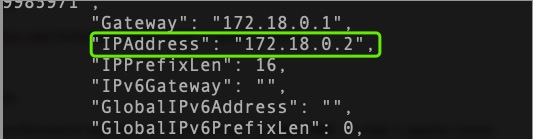
宿主机查询容器的内网ip(后续拉起laravel web服务需要用到)
docker inspect laravel
https://wiki.weihuasoftware.com/img/php-laravel_1728715573128.png

IPAddress:172.18.0.2 (以自己本地环境为准)
进入容器 docker exec -it laravel bash

https://wiki.weihuasoftware.com/img/php-laravel_1728715852735.png

安装composer
curl -sS https://getcomposer.org/installer | php
mv composer.phar /usr/local/bin/composer
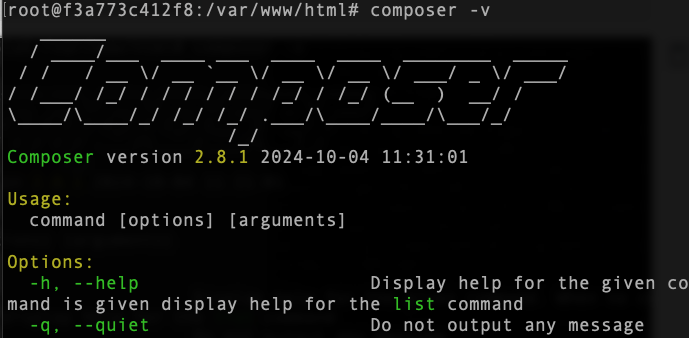
composer -v 出现以下画面表示已安装成功
https://wiki.weihuasoftware.com/img/php-laravel_1728716122241.png

以上服务环境已准备好。下面开始laravel项目创建阶段

二、创建laravel项目

composer create-project --prefer-dist laravel/laravel comment_app

https://wiki.weihuasoftware.com/img/php-laravel_1728717416001.png

默认会创建你php版本相匹配的版本,当然你也可以指定需要的版本,这里直接默认
切换进入创建的项目目录
cd comment_app/

https://wiki.weihuasoftware.com/img/php-laravel_1728717488280.png

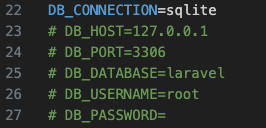
初始化db(这里db直接使用sqlite进行后续...)
切换到项目的database目录执行touch database.sqlite初始化sqlite (默认情况下创建新项目时会生成,不需要单独执行,就情况而定)
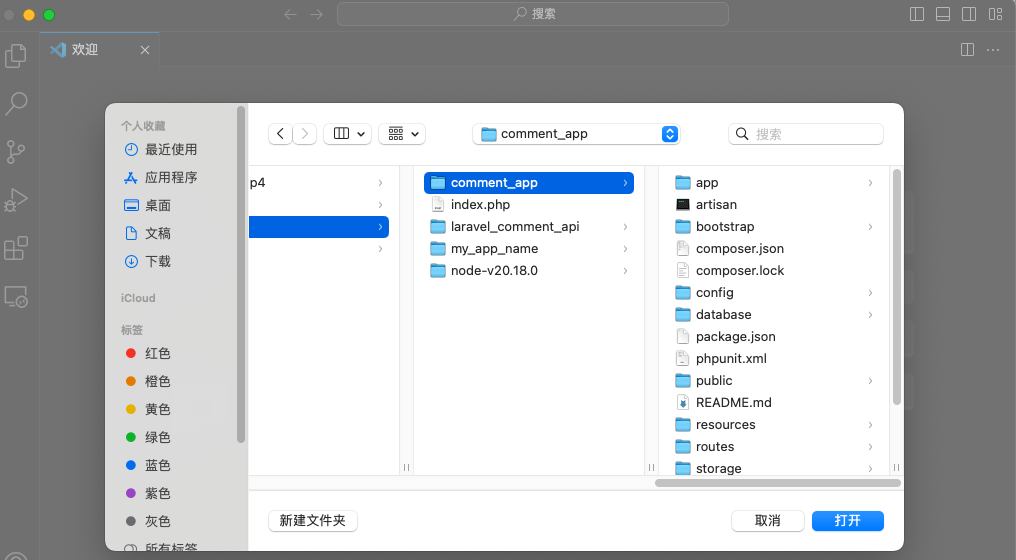
打开vscode,打开对应的项目目录(docker拉起时指向的本地目录)
https://wiki.weihuasoftware.com/img/php-laravel_1728718155708.png

修改.env

https://wiki.weihuasoftware.com/img/php-laravel_1728718263272.png

拉起laravel的web服务
php artisan serve --host=172.18.0.2 --port=8000

https://wiki.weihuasoftware.com/img/php-laravel_1728718517335.png

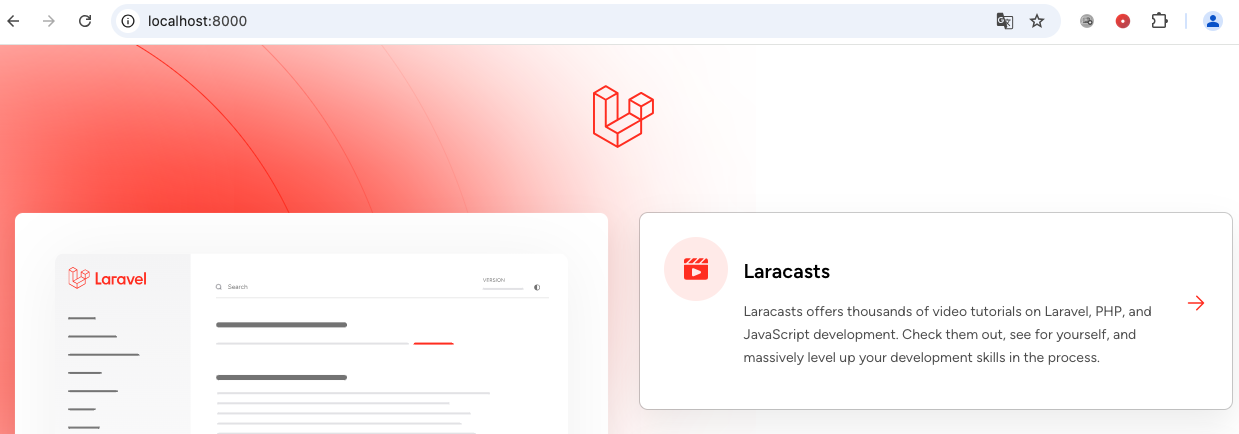
浏览器访问:http://localhost:8000/ (docker laravel容器拉起时,容器里的8000端口映射到本地的0.0.0:8000端口)
https://wiki.weihuasoftware.com/img/php-laravel_1728718626475.png

出现以上画面表示laravel项目搭建成功!

三、初始开发案例

这里会创建一张记录评论信息的表,进行增、删除、查询、修改的的简单逻辑的案例

创建数据表迁移文件

在Laravel中,通过迁移文件进行表的制作、变更、回退等数据库的操作。
首先我们生成comment评论表,迁移文件的生成使用php artisan命令:php artisan make:migration create_comments_table --create=comments

https://wiki.weihuasoftware.com/img/php-laravel_1728878336840.png

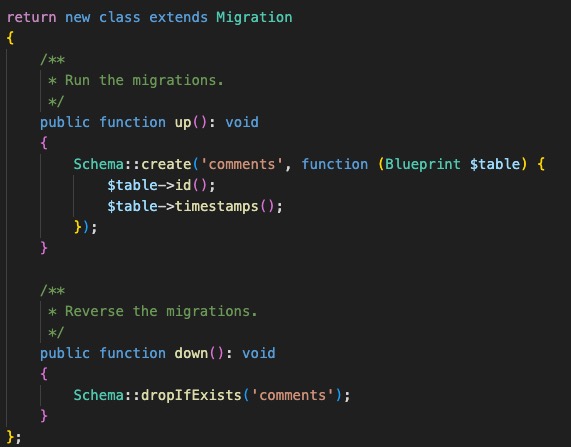
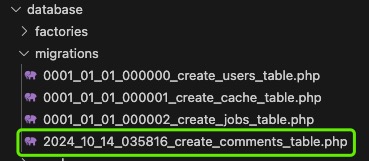
对应/database/migrations/目录下生成table迁移文件2024_10_14_035816_create_comments_table.php.
https://wiki.weihuasoftware.com/img/php-laravel_1728890747114.png https://wiki.weihuasoftware.com/img/php-laravel_1728890932152.png

修改table迁移文件,新加标题和内容字段

https://wiki.weihuasoftware.com/img/php-laravel_1728891166963.png

通过迁移文件生成数据表

要在数据库中创建表,请执行php artisan migrate命令。根据这个命令,从database/migrations/目录中的迁移文件中,只执行还没有执行的迁移文件。
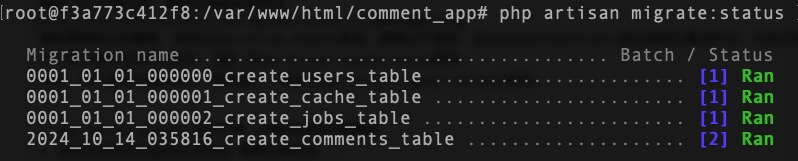
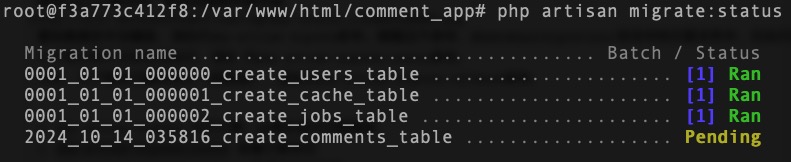
为了确认哪个文件正在执行,请执 行php artisan migrate:status命令。
另外,为了恢复迁移的执行(即回退),请执行php artisan migrate:rollback命令。
https://wiki.weihuasoftware.com/img/php-laravel_1728891718557.png https://wiki.weihuasoftware.com/img/php-laravel_1728891815525.png https://wiki.weihuasoftware.com/img/php-laravel_1728891827854.png

1、php artisan migrate 执行迁移,db里生成对应数据表
2、php artisan migrate:status 查看迁移状态
3、php artisan migrate:rollback 回退已执行迁移
执行迁移后,数据库里已生成了对应的comments表

https://wiki.weihuasoftware.com/img/php-laravel_1728892080193.png

通过seeder创建测试数据

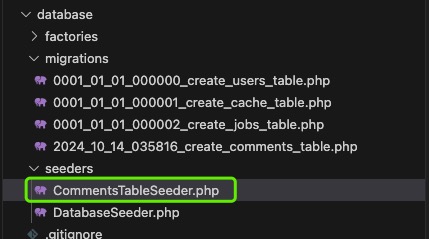
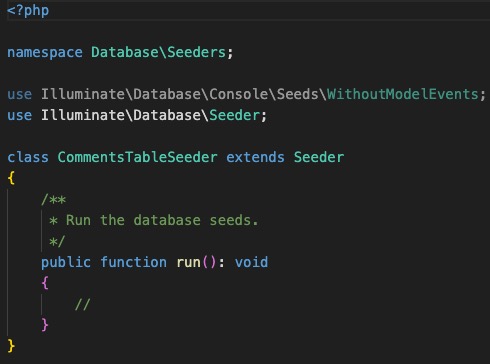
执行php artisan make:seeder CommentsTableSeeder,生成seeder文件

https://wiki.weihuasoftware.com/img/php-laravel_1728892576900.png

https://wiki.weihuasoftware.com/img/php-laravel_1728892648149.png https://wiki.weihuasoftware.com/img/php-laravel_1728892661172.png

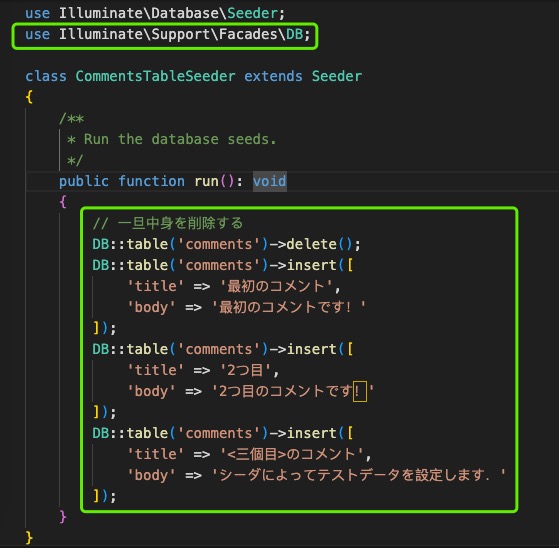
修改seed文件,创建测试数据

https://wiki.weihuasoftware.com/img/php-laravel_1728892936381.png

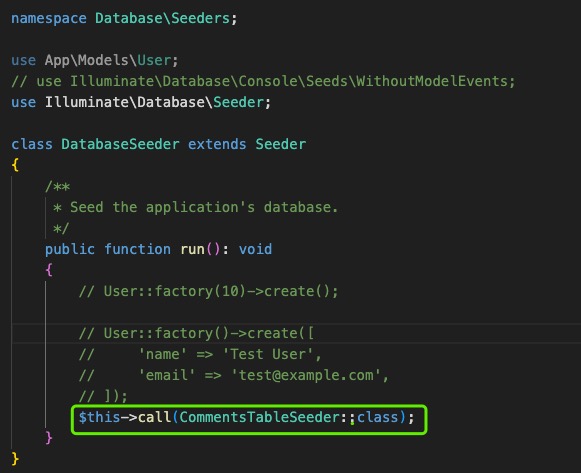
修改DatabaseSeeder.php文件

https://wiki.weihuasoftware.com/img/php-laravel_1728893084559.png

要将测试数据写入数据库,如下所示执行php artisan db:seed命令。根据情况,也可以确认迁移的状态后再执行。 

https://wiki.weihuasoftware.com/img/php-laravel_1728893216739.png

注释:要单独执行某个seeder可以在后面加对应参数:--class=类名 即可

创建model 模型文件

在Laravel中,模型、视图、控制器等MVC各自分担各自的角色。模型负责数据结构及其操作的角色。
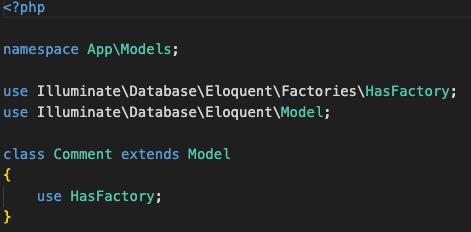
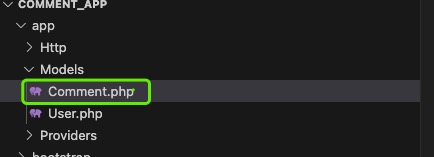
执行命令php artisan make:model 模型名,来制作模型,会在app/Mdels/生成对应model

https://wiki.weihuasoftware.com/img/php-laravel_1728893791771.png

https://wiki.weihuasoftware.com/img/php-laravel_1728893984663.png https://wiki.weihuasoftware.com/img/php-laravel_1728894001870.png

模型名请注意使用开头大写字母的单个数字表(数据库的小写名字,例如数据表名字为comments对应model名为Comment)。

创建控制器Controller

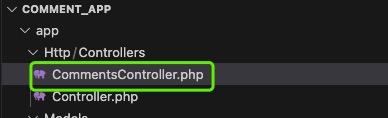
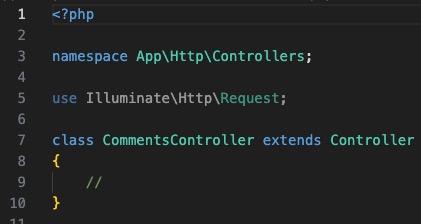
创建CommentsController使用命令:php artisan make:controller CommentsController,在app/Http/Controllers/目录下生成CommentsController.php,如下 

https://wiki.weihuasoftware.com/img/php-laravel_1728894208753.png

https://wiki.weihuasoftware.com/img/php-laravel_1728894433412.png https://wiki.weihuasoftware.com/img/php-laravel_1728894446653.png

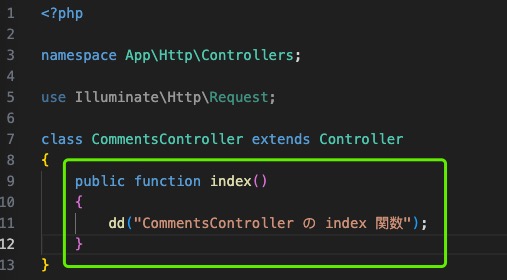
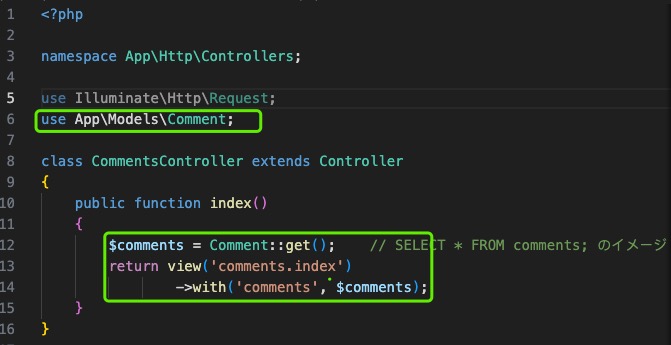
修改CommentsController,添加index方法

https://wiki.weihuasoftware.com/img/php-laravel_1728894602576.png

创建路由

检查当前生效的路由配置执行:php artisan route:list
在还没有追加任何东西的初始状态下,会有以下结果

https://wiki.weihuasoftware.com/img/php-laravel_1728894786220.png

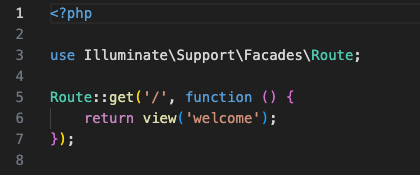
打开web路由配置文件/route/web.php

https://wiki.weihuasoftware.com/img/php-laravel_1728895027933.png

以上代码表示:对于/的请求,定义了调用名为welcome的视图。具体的意思是调用名为resources/views/welcome.blade.php的文件(视图文件)
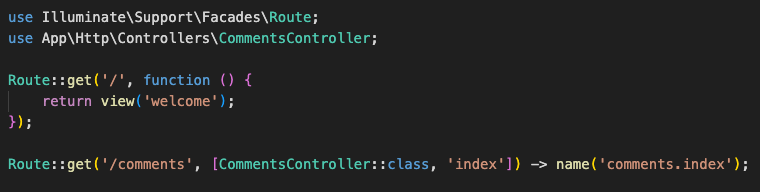
在这个routes/web.php中指定/comments的URI时,试着设定调用CommentsController的index函数。
https://wiki.weihuasoftware.com/img/php-laravel_1728895351278.png

启动web服务:php artisan serve --host=172.18.0.2 --port=8000
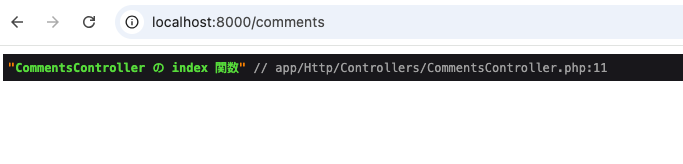
访问http://localhost:8000/comments,web返回如下
https://wiki.weihuasoftware.com/img/php-laravel_1728895557540.png

从评论表comments查询数据展示到视图

修改控制器代码

https://wiki.weihuasoftware.com/img/php-laravel_1728895881906.png

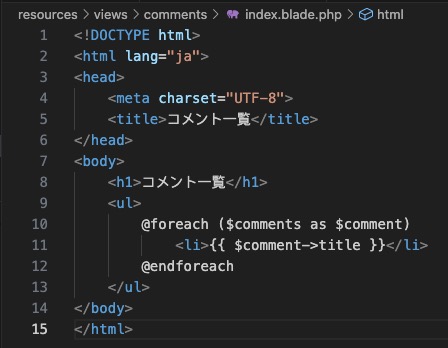
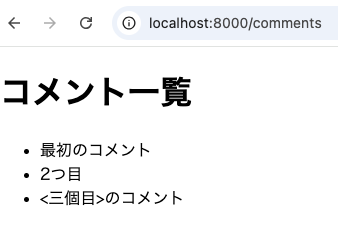
在视图resources/views目录中制作comments子目录,创建index.blade.php文件
https://wiki.weihuasoftware.com/img/php-laravel_1728896083592.png

再次访问http://localhost:8000/comments,web返回如下
https://wiki.weihuasoftware.com/img/php-laravel_1728896136090.png

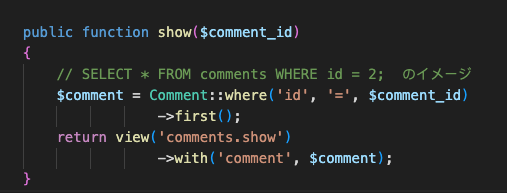
查询单条数据详情

comment控制器新增show方法

https://wiki.weihuasoftware.com/img/php-laravel_1728896440089.png

新增查询单条详情路由配置

https://wiki.weihuasoftware.com/img/php-laravel_1728896618214.png

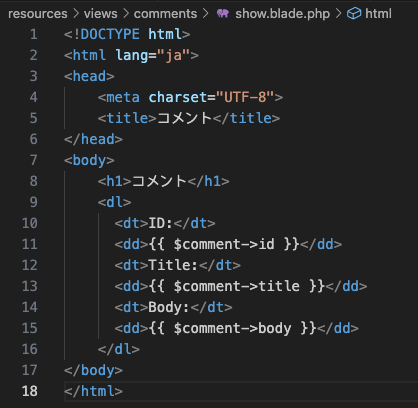
在视图resources/views目录中制作comments子目录,创建show.blade.phpコピー文件
https://wiki.weihuasoftware.com/img/php-laravel_1728896715943.png

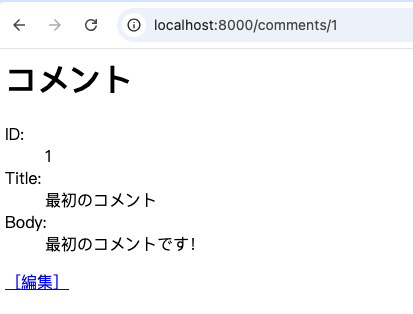
访问http://localhost:8000/comments/1,页面返回

https://wiki.weihuasoftware.com/img/php-laravel_1728896802015.png

新增评论功能

修改路由,新加评论路由

https://wiki.weihuasoftware.com/img/php-laravel_1728897056187.png

修改resources/views/comments/index.blade.php文件,追加评论入口

https://wiki.weihuasoftware.com/img/php-laravel_1728897301490.png

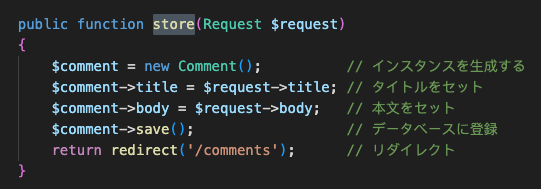
控制器新增store方法

https://wiki.weihuasoftware.com/img/php-laravel_1728897397812.png

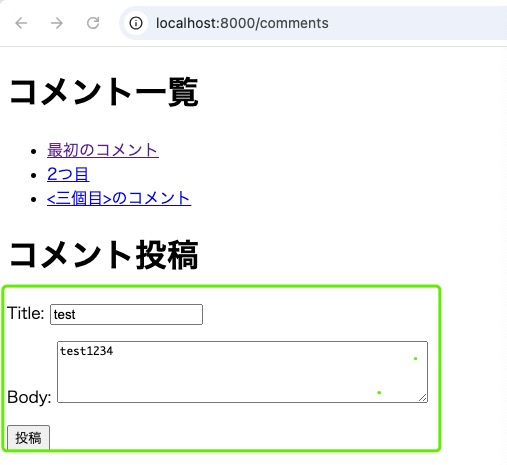
访问http://localhost:8000/comments

https://wiki.weihuasoftware.com/img/php-laravel_1728897520487.png

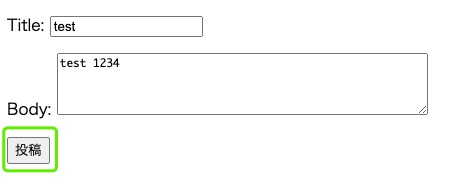
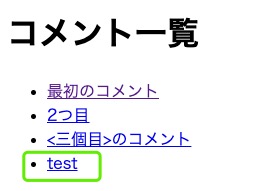
页面输入评论信息,点击提交后,评论信息写入

https://wiki.weihuasoftware.com/img/php-laravel_1728897646584.png https://wiki.weihuasoftware.com/img/php-laravel_1728897730448.png

修改评论

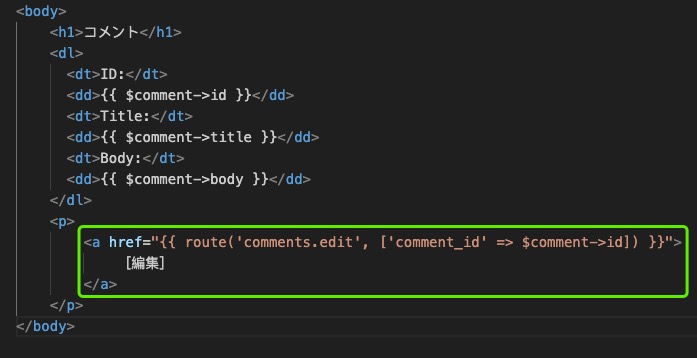
修改resources/views/comments/show.blade.php文件,新增修改入口
https://wiki.weihuasoftware.com/img/php-laravel_1728898322373.png

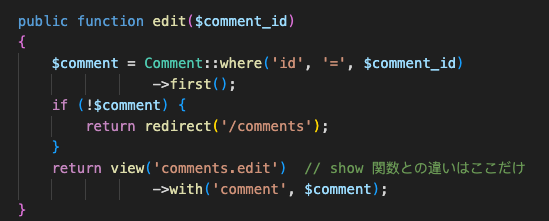
修改控制器,新增edit方法

https://wiki.weihuasoftware.com/img/php-laravel_1728898400189.png

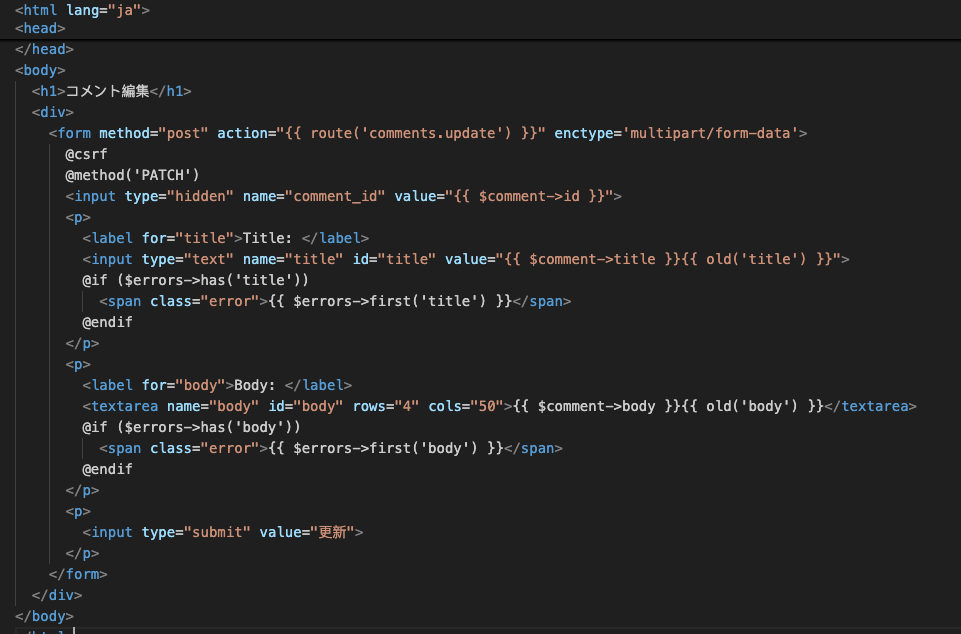
新加视图文件 resources/views/comments/edit.blade.php
https://wiki.weihuasoftware.com/img/php-laravel_1728898579498.png

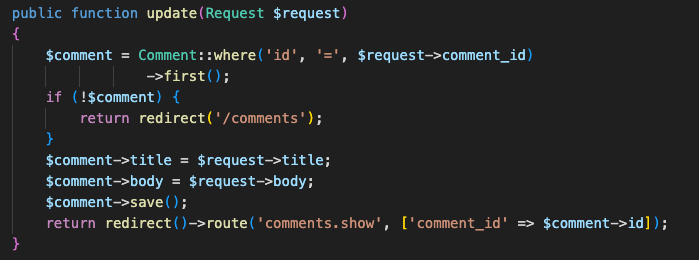
控制器新增update方法,用于更新内容

https://wiki.weihuasoftware.com/img/php-laravel_1728898753859.png

添加路由

https://wiki.weihuasoftware.com/img/php-laravel_1728898993607.png

提交验证

https://wiki.weihuasoftware.com/img/php-laravel_1728899057711.png

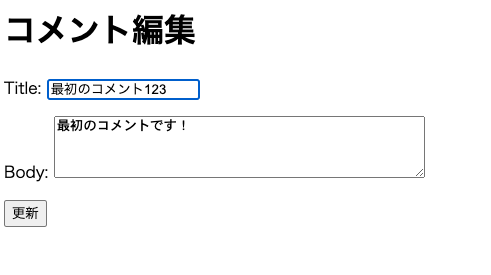
点击编辑进入编辑页面

https://wiki.weihuasoftware.com/img/php-laravel_1728899134473.png

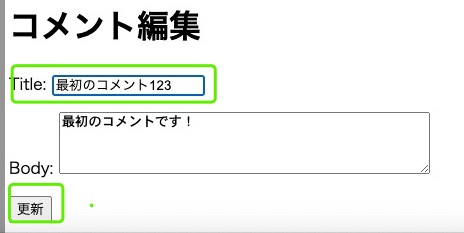
编辑内容后点击提交

https://wiki.weihuasoftware.com/img/php-laravel_1728899214058.png

更新后跳转页面,内容已变更,修改成功

https://wiki.weihuasoftware.com/img/php-laravel_1728899310196.png

删除评论

修改路由,新增删除路由

https://wiki.weihuasoftware.com/img/php-laravel_1728899460278.png

修改视图resources/views/comments/show.blade.php,新增删除入口
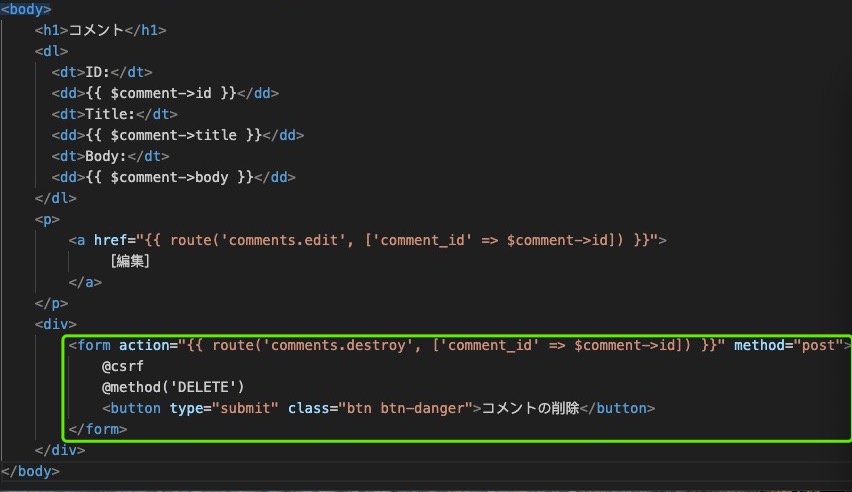
https://wiki.weihuasoftware.com/img/php-laravel_1728899594151.png

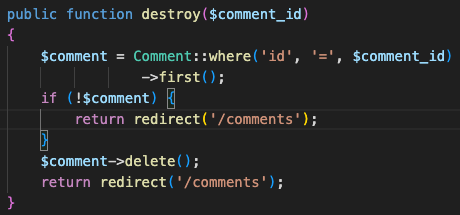
修改控制器,新增destroy删除方法

https://wiki.weihuasoftware.com/img/php-laravel_1728899672422.png

访问页面

https://wiki.weihuasoftware.com/img/php-laravel_1728899807736.png

点击删除,跳转到列表页面,数据已被删除

https://wiki.weihuasoftware.com/img/php-laravel_1728899985351.png

以上了解后,就可以简单开发我们需要的功能了。

四、多表关系实现案例

待补充...

五、laravel api案例开发

待补充...

トップ   一覧 検索 最終更新   ヘルプ   最終更新のRSS